Conversational AI for Customer Service (2026)
[ SUMMARIZE WITH AI ]
Workflow Audit
]99% sure you are not seeing all the spots AI can help you in your business.
Are your workflows optimized with the most up to date solution, or are they costing you and your team time and money?
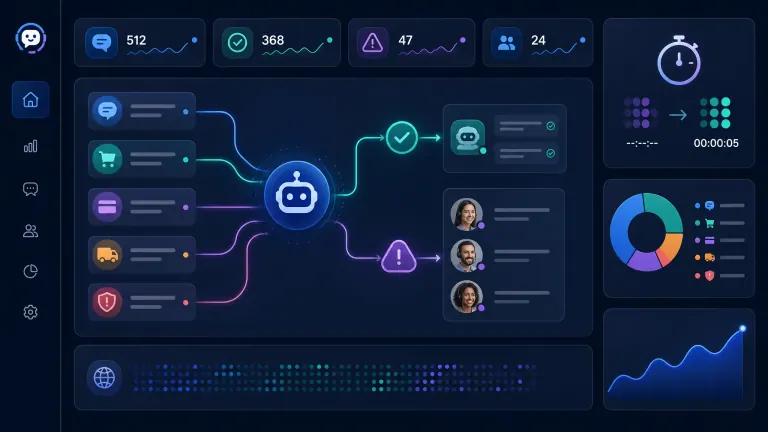
GET FREE AUDITConversational AI for customer service typically cuts first response time from hours to seconds, automates 40-70% of routine requests, and helps human agents resolve complex cases faster with account context. It works best when natural language understanding (NLU), a clean knowledge base, CRM data, and human handoff rules are built as one support workflow. The measurable gains are lower cost per ticket, faster first-contact resolution, and more agent time spent on high-value customer issues.
Best-fit workload: Password resets, order status, appointment changes, billing FAQs, account lookups, and simple troubleshooting. Expected gain: McKinsey estimates generative AI can raise customer care productivity by 30-45% of current function costs. Agent-assist evidence: MIT Sloan describes a study of 3 million chats and 5,179 support workers using an AI support tool. Quality-control upside: McKinsey reports gen AI QA can reach more than 90% scoring accuracy and save over 50% in QA costs. Hard limit: Sensitive, emotional, contractual, or ambiguous requests still need a clear human path.
Implementation slots for this month are filling, and the teams that wait usually keep paying for the same repetitive support load with more hiring.
The question is no longer whether conversational AI can answer a customer. It can. The real question is whether your setup can answer the right customer, with the right context, and route the case to a person before trust drops.
A basic chatbot answers FAQs. A useful support system reads intent, checks customer history, pulls the right policy, and knows when to stop. Judge tools by ticket mix, escalation risk, and payback period.
For teams that want support, CRM, reporting, and follow-up connected, an AI operating system that carries customer context across tools is stronger than a standalone bot.
3 implementation slots open this month We map your support queue, define the automatable ticket scope, and build the first working version in 30 days. Book Before the Slots Close →
Table of Contents
- What Conversational AI Actually Changes in Support
- Where NLU Improves Customer Experience
- The 30-Day Implementation Math
- Who This Is For
- Frequently Asked Questions
What Conversational AI Actually Changes in Support
Conversational AI changes the shape of the support queue. It separates repeatable work from judgment work so human agents stop spending their day on requests a system can handle.
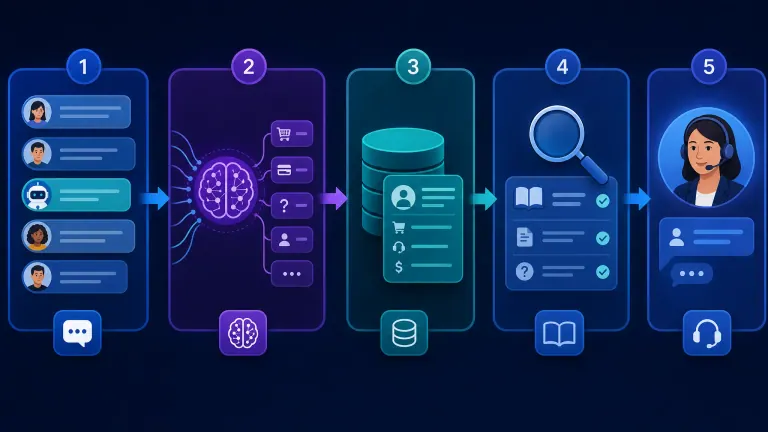
Intent detection: The AI reads a message and identifies what the customer is trying to do. "I can't log in" becomes an access issue. "My invoice looks wrong" becomes a billing review. NLU lets the system understand messy language instead of forcing people through rigid menu paths.
Context retrieval: The AI checks the knowledge base, CRM, billing system, ticket history, and order data before it replies. Customers care whether it knows their plan, their last issue, and what was promised before.
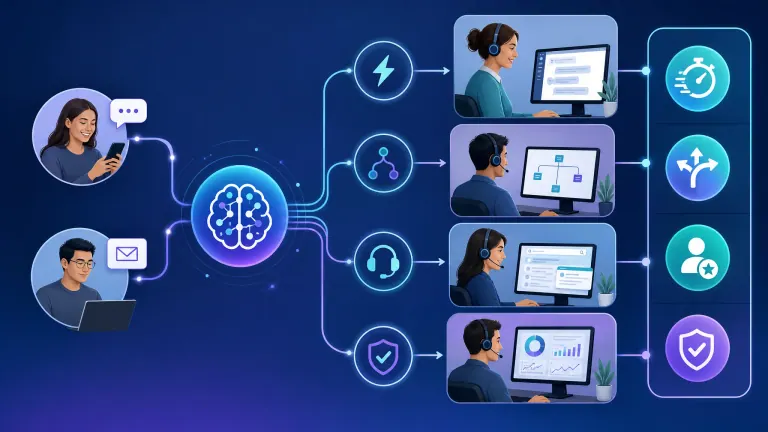
Resolution or routing: For simple requests, the AI resolves the issue. For risky ones, it routes to a human with a summary: customer goal, account details, prior attempts, and suggested next step.
Learning loop: The system improves from escalations, failed answers, CSAT scores, and agent corrections. This loop matters more than the launch. A support AI with no review process gets stale fast.
Competitor pages cover definitions, use cases, benefits, and trust. The missing piece is the operating decision: what should you automate first, what stays human, and what number proves it worked.
Here is the practical split:
| Support work | AI should handle | Human should handle |
|---|---|---|
| Order status, password resets, FAQs | Yes | Only on exception |
| Appointment changes or account updates | Yes, with system access | If policy conflict appears |
| Billing questions | Partly | Yes for disputes or credits |
| Technical troubleshooting | Partly | Yes for unknown or high-value cases |
| Churn risk, complaints, renewals | No | Yes |
| Contract terms or custom account promises | No | Yes |
Implementation should start with a ticket audit, not a platform demo. Pull the last 90 days of tickets. Sort by request type, volume, risk, and answer clarity. The first build should cover the high-volume, low-risk group only.
3 implementation slots open this month We turn your last 90 days of support tickets into a build plan, then launch the first automations with clear human handoff rules. Reserve a 30-Min Walkthrough →
Where NLU Improves Customer Experience
NLU improves customer experience by reducing the effort it takes to get a correct answer. That changes first response time, first-contact resolution, handle time, and escalation quality.
The first win is speed. A human-only queue makes every request wait its turn. AI replies immediately to routine issues, even after hours. For teams across time zones, that removes the overnight backlog agents face every morning.
The second win is clarity. Scripted bots break when customers phrase a request in an unexpected way. NLU detects intent even when language is messy. "I got charged twice" and "why did you bill me again?" both route to billing.
MIT Sloan's summary of worker productivity research describes a rollout of an AI support tool across 3 million chats and 5,179 workers. The tool suggested responses and resources, while workers still chose whether to use them. That is the right pattern: AI assists, humans judge.
Harvard Business School Working Knowledge reported that AI helped support agents respond about 20% faster, with bigger gains for less experienced workers. That matters because support teams often have a consistency problem, not just a capacity problem.
The fourth win is quality assurance. McKinsey's work on gen AI in customer care QA reports more than 90% accuracy across key QA parameters in one deployment, plus potential savings above 50% in QA costs. AI-assisted QA can review far more calls, chats, and emails than manual sampling.
But the trust risk is real. Customers punish AI when it pretends to be human, traps them in loops, or answers beyond its confidence. Identify AI clearly, make handoff visible, and keep sensitive cases out of automation until the data supports expansion.
For a related breakdown on workload reduction, read which contact center AI features reduce B2B agent workload. For cost planning, use AI customer service pricing and ROI benchmarks.
3 implementation slots open this month We build support AI around your real ticket types, not generic chatbot scripts, so the first version can prove ROI without taking risky cases. Book Your Implementation Slot →
The 30-Day Implementation Math
The fastest path is narrow: launch on 3-5 ticket types, connect the AI to the knowledge base and CRM, and measure savings before expanding.
McKinsey's generative AI economic potential report estimates that applying generative AI to customer care can increase productivity by 30-45% of current function costs. Your result depends on ticket volume, request structure, and data quality.
Here is a realistic 30-day implementation model for a small B2B team handling 1,500 monthly tickets.
| Metric | Before AI | After 30-day pilot | Practical effect |
|---|---|---|---|
| Monthly ticket volume | 1,500 | 1,500 | Same demand |
| Automatable ticket share | 0% | 45% | 675 tickets in scope |
| Human cost per ticket | $10.00 | $10.00 | Used for baseline |
| AI-handled ticket cost | n/a | $1.25 | Includes platform usage |
| Monthly platform and support cost | $0 | $1,500 | Pilot cost |
| Gross monthly savings | $0 | $5,906 | 675 x $8.75 delta |
| Net monthly savings | $0 | $4,406 | After pilot platform cost |
| Payback on $9,000 setup | n/a | ~2.1 months | If deflection holds |
This is not a promise that AI will remove jobs. The better return is often avoided hiring. If you were about to add one support rep at $55,000-$75,000 fully loaded, a narrow rollout can absorb that growth.
Compare the alternatives:
| Option | Typical cost | Timeline | Best when | Limitation |
|---|---|---|---|---|
| Hire another agent | $55K-$75K/year | 30-90 days to recruit and ramp | Most tickets need judgment | Adds management load and does not fix repetitive work |
| Buy a generic chatbot | $100-$1,500/month | 1-3 weeks | You only need FAQ deflection | Weak account context and poor handoff |
| Build internal automation | Staff time + tools | 4-12 weeks | You have ops or IT capacity | Maintenance becomes someone's side job |
| Implement managed support AI | $8K-$20K setup + usage | 3-6 weeks | You need measurable savings fast | Requires clear ticket scope |
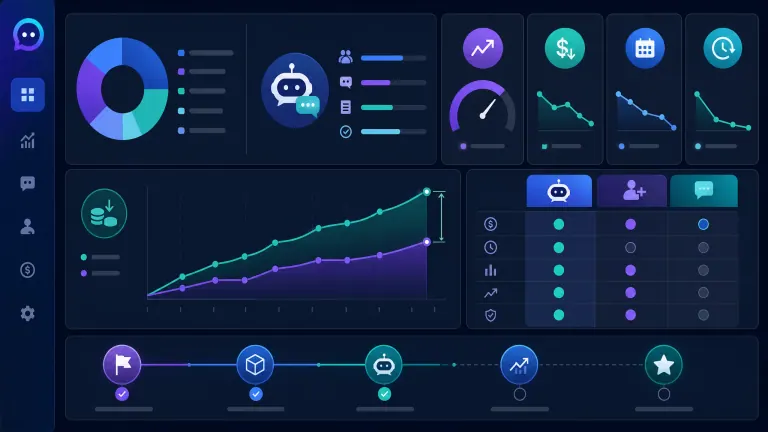
The best first month has three deliverables: a ticket taxonomy, a live AI path for simple requests, and a KPI dashboard. Track deflection, escalation, CSAT, cost per resolution, handle time, and failed answer reasons.
If your automation need goes beyond support into internal operations, reporting, and follow-up, AI Essentials can have the workflow automation built for you instead of leaving your team to connect tools during spare hours.
3 implementation slots open this month We scope the pilot, build it, and review the first KPI dashboard with you before expanding beyond the first ticket types. Claim a Slot →
Who This Is For
This is ideal for:
- Teams handling 500+ support requests per month with repeat questions in the queue.
- Operators about to hire support staff because response volume keeps growing.
- Businesses that need faster replies without trapping complex customers in automation.
Consider alternatives if:
- Support volume is under 150 tickets per month.
- Nearly every request is sensitive, contractual, or unique.
- Your knowledge base and CRM data are incomplete.
Why AI Essentials specifically? We build around your real ticket mix, connect to the tools your team already uses, and define handoff rules before launch. The goal is a working support layer that removes repetitive work in 30 days and gives you numbers you can trust.
Frequently Asked Questions
Natural language understanding (NLU) conversational AI enhance customer experience B2B
NLU improves B2B customer experience by helping AI understand what the customer means, not just which words they typed. It can identify billing, access, account, or technical intent from messy language and route the case correctly. The biggest benefit is less customer effort: faster answers for simple issues and better handoffs for complex ones.
NLU in B2B customer service implementation steps
Start with a 90-day ticket audit. Group tickets by intent, volume, risk, and answer clarity. Choose 3-5 low-risk ticket types for the first build, connect the AI to your knowledge base and CRM, then define escalation rules. Launch the pilot, track deflection and CSAT weekly, and expand only when the first scope is stable.
Cost ROI NLU conversational AI B2B
Most small B2B pilots cost $8,000-$20,000 to set up, plus platform usage. ROI depends on ticket volume and deflection rate. A team handling 1,500 tickets per month can often save $4,000-$6,000 monthly if AI safely handles 40-50% of routine requests. Payback commonly lands in 2-5 months for well-scoped pilots.
NLU conversational AI vs traditional customer service B2B
Traditional service is stronger for judgment, relationship repair, negotiation, and sensitive account issues. NLU conversational AI is stronger for speed, consistency, after-hours coverage, routing, and repeatable requests. The best B2B setup uses both: AI clears routine work and prepares context, while humans handle cases where trust and judgment matter.
Common mistakes NLU implementation B2B customer service
The most common mistake is automating too much too soon. Other failures include launching without CRM context, using a weak knowledge base, hiding the human handoff, and measuring only deflection while ignoring CSAT. A strong implementation starts narrow, reviews failed answers weekly, and treats escalation quality as a core metric.
Real-world outcomes NLU conversational AI B2B case studies
Realistic outcomes include faster first response, lower cost per ticket, shorter agent handle time, and better QA coverage. MIT Sloan summarized research across 3 million support chats where AI gave agents response suggestions and resource links. McKinsey reports customer care productivity potential of 30-45% and QA cost savings above 50% in gen AI deployments.
Timeline NLU conversational AI deployment B2B
A narrow pilot usually takes 3-6 weeks. Week one is ticket mapping and scope. Week two is knowledge base and CRM connection. Weeks three and four cover prompt, routing, and escalation testing. Complex CRM data, messy documentation, or voice support can add 2-4 weeks. A full rollout should follow pilot data, not a fixed calendar.
When to use NLU conversational AI B2B
Use it when your queue has high-volume repeat requests, slow first response times, or agents spending too much time finding information. It is a poor fit when ticket volume is low, documentation is missing, or nearly every conversation requires senior judgment. A ticket audit tells you before you spend on tooling.
Industry applications NLU B2B customer service
NLU works across industries because the pattern is situational, not vertical. SaaS teams use it for access and billing. Agencies use it for status updates. Distributors use it for order tracking. Professional services firms use it for scheduling and document requests. The key is not industry. It is whether requests are repeatable and answerable from reliable data.
How long does it take to implement conversational ai for customer service?
Conversational AI for customer service takes 3-6 weeks for a narrow pilot and 6-10 weeks for a broader rollout. The timeline depends on knowledge base quality, CRM access, ticket complexity, and whether voice channels are included. The safest plan is a 30-day pilot on simple requests, then expansion after deflection, escalation, and CSAT data prove stability.
Conclusion
Conversational AI improves support when it removes routine work, improves context, and gives humans cleaner escalations. It fails when it tries to replace judgment, hides handoff paths, or launches without measuring ticket baselines.
The practical next step is simple: map your last 90 days of support tickets, choose the first 3-5 automatable types, and build the pilot around measurable outcomes.
3 implementation slots open this month. We can scope your ticket queue, build the first support AI workflow, and review the first KPI dashboard within 30 days.

Iliyan Ivanov
Founder of AIessentials · AI automation consultant helping B2B businesses save 20+ hours/week and grow without hiring