How to Know If Your Business Is Ready for AI Automation
[ SUMMARIZE WITH AI ]
Workflow Audit
]99% sure you are not seeing all the spots AI can help you in your business.
Are your workflows optimized with the most up to date solution, or are they costing you and your team time and money?
GET FREE AUDITYour business is ready for AI automation when three conditions are in place: your team handles repeated manual tasks daily, your core processes are documentable (even if not yet documented), and you have a specific problem you want solved — not just a general interest in "using AI." Most B2B businesses with five or more employees and at least one defined sales or operations workflow meet this threshold already.
Repeated manual work: If someone on your team copies data between systems, sends the same type of follow-up email more than five times per week, or manually routes tasks between departments — that process is ready to automate.
Documentable processes: You don't need written SOPs. You need to be able to describe the steps. If you can walk a new hire through a workflow in under 30 minutes, AI can learn it too.
A specific problem: "We want to automate" is not enough. "We lose 40% of inbound leads because follow-up takes three days" is. The clearer the problem, the faster and cheaper the implementation.
Where most businesses underestimate themselves: McKinsey Global Institute research found that over 60% of all business occupations have at least 30% of activities that could be automated with current technology. Most businesses that feel "not ready" are already doing automatable work — they just haven't framed it as a solvable problem yet.
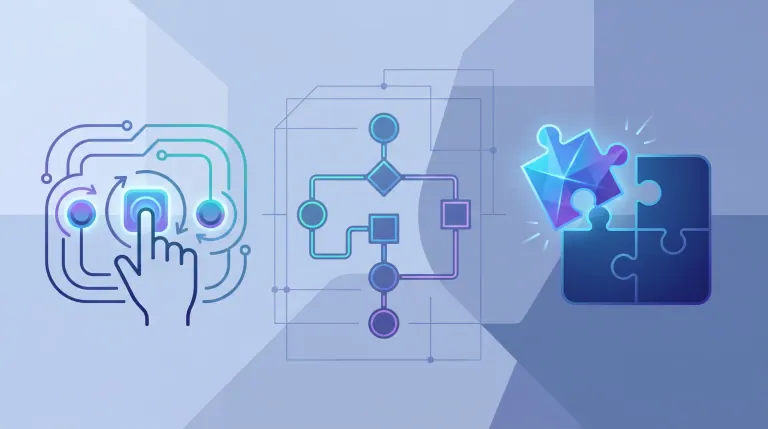
AI sounds like it's for companies with a dedicated data science team and a six-figure tech budget. But the businesses getting the most out of automation right now are solving one specific problem with two or three connected tools — not deploying enterprise platforms with 18-month rollouts.
This post gives you a concrete framework for assessing your own readiness — and tells you what to fix first if you're not quite there yet.
Not sure where to start? We find the 3 biggest automation opportunities in your business and tell you exactly what's blocking them. Get Your Free Workflow Leak Report →
Table of Contents
- The 3 Foundations You Need Before Any AI Tool Goes In
- 5 Diagnostic Questions to Test Your Readiness Right Now
- What AI Consultants Actually Check (And What Most Businesses Miss)
- Who This Is For
- Frequently Asked Questions
The 3 Foundations You Need Before Any AI Tool Goes In
Most "AI readiness" content lists signs you might be ready. This section is different — it tells you what you actually need to build, and what breaks if you skip it.
Foundation 1: Process Clarity (Not Perfection)
The most common mistake before automating: assuming the process needs to be perfect. It doesn't. But it does need to be consistent.
If a task is done a different way every time depending on who's doing it, automation will lock in that inconsistency — and amplify it at scale. Before any AI tool goes in, the process needs one clear path and one owner, even if that path has gaps.
You don't need to fix everything. Pick the version that's most right, commit to it, and the automation learns from that. The AI follows what you give it; cleaning it up is faster than most people expect.
Foundation 2: Data Access (Not a Data Warehouse)
You don't need a CRM with perfectly clean records. You need access to the data involved in the process you're automating.
- For lead follow-up: contact data and what they inquired about
- For invoice processing: the invoice source and where it should land
- For customer onboarding: a defined list of steps and a way to track completion
If that data exists somewhere — even in a spreadsheet — you're ready to start. The cleanup happens during setup, not before. Experienced AI consultants expect messy data. What they can't work around is data that doesn't exist at all.
Foundation 3: A Specific Problem (Not a Category)
"We want to use AI for marketing" is a category. "We spend six hours per week manually qualifying inbound leads that turn out to be 80% wrong-fit" is a problem.
The specificity of your problem definition directly determines how fast implementation goes and how clearly you'll measure ROI. Businesses that start with a specific problem get results in four to six weeks. Businesses that start with a vague goal spend that time in discovery — sometimes never leaving it.
If you're not sure what your problem is yet, the clearest path is tracking where time disappears in your operations for two weeks. The patterns become obvious fast.
Want to skip the two-week audit? We identify your highest-ROI automation target in a single session — no jargon, no sales pitch. Get Your Free Workflow Leak Report →

5 Diagnostic Questions to Test Your Readiness Right Now
Use this as a self-assessment. If you answer yes to three or more, you're ready to start a real implementation conversation.
1. Does someone on your team do the same task more than five times per week? Repetition is the first prerequisite for automation. If there's no pattern, there's nothing for AI to learn. If there is a pattern, that's your starting point.
2. Do tasks fall through the cracks between people or systems? Broken handoffs — where a task leaves one person's desk and nobody picks it up on the other end — are one of the highest-ROI automation targets. Research from Harvard Business Review shows companies responding to leads within one hour are seven times more likely to qualify them than those responding two hours later. Slow handoffs are expensive, and they're fixable.
3. Could you explain your process to a new hire in 30 minutes? If yes, you can document it well enough for automation. If no, documentation needs to come first — but it's usually faster than people think (one to two weeks, not months).
4. Do you have a tool where this process lives? CRM, spreadsheet, email, project management system — it doesn't matter which. You need one source of truth for the process data. If the answer is "it lives in people's heads," that's the thing to fix before automation starts.
5. Do you know what you'd measure to call the automation successful? "It should save time" isn't a success metric. "All new leads should get a response within five minutes" is. If you can name the metric, you're ready to start. If you can't, spend 30 minutes on that before anything else.
| Readiness Score | What It Means |
|---|---|
| 5/5 | Start now — you're likely leaving money on the table every week |
| 3–4/5 | Ready to begin scoping; one or two things to clarify first |
| 1–2/5 | Focus on process consistency and problem definition first |
| 0/5 | Too early — stabilize operations before adding automation |
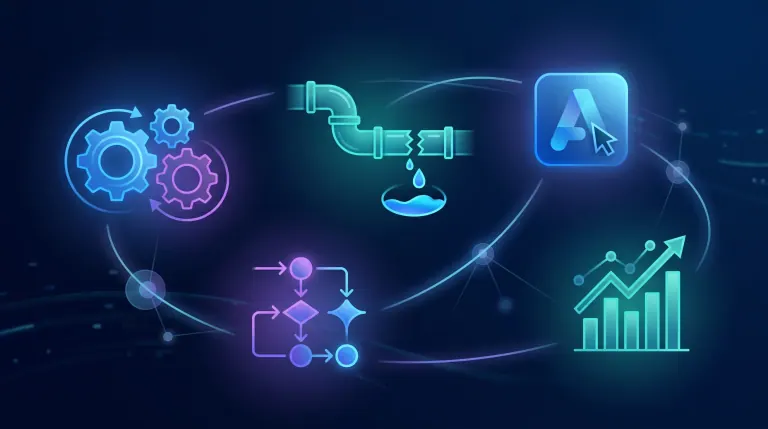
Score 3 or higher? Book a session and we'll map which workflow to automate first — and what results to expect, specifically for your business. Get Your Free Workflow Leak Report →
What AI Consultants Actually Check (And What Most Businesses Miss)
When AI consultants evaluate a business, they're looking at four things — none of which require enterprise-level sophistication. If those four pieces are present and the work is mainly B2B operations, reporting, sales follow-up, or client delivery, the next step is usually scoped AI consultant services that build the automation for you, not hiring a full-time AI employee.
Clear process ownership
The person who owns the process needs to be involved. Not just the decision-maker — the person who actually does the work day to day. That's where the real knowledge lives. Most failed AI implementations start here: the consultant talked to the exec, not the operator.
Data presence (not data quality)
This is where most businesses worry unnecessarily. Consultants don't expect clean data — they expect present data. A spreadsheet with inconsistent formatting is fixable in a day. No record of the process at all means documentation comes before implementation.
A single owner for each automated workflow
Automation without an owner breaks silently. If a workflow fails or produces a wrong output, someone needs to catch it and fix it. Businesses without clear ownership often don't notice problems until they've compounded into something expensive.
Appetite for change — not just interest
Not team enthusiasm (that's a bonus) — appetite. If leadership is lukewarm and the team sees automation as a threat to their jobs, adoption fails regardless of how good the technology is. The implementations that stick are the ones where leadership frames it clearly: the automation handles the work people hate so they can do the work that matters.
Before/After: What a Typical B2B AI Automation Engagement Looks Like
| Metric | Before | After 8 Weeks |
|---|---|---|
| Lead response time | 18–24 hours average | Under 5 minutes (automated) |
| Hours/week on manual follow-up | 8–12 hours | 1–2 hours (review only) |
| Lead-to-meeting conversion | 12–15% | 22–28% |
| Staff hours on admin tasks | High | Reduced by ~60% |
| Revenue impact (month 4+) | Baseline | +18–25% pipeline from same traffic |
These numbers reflect real implementation patterns, not best-case projections. If you want to understand what the ROI picture typically looks like, how to calculate workflow automation ROI for your business breaks it down without the sales pitch.
AI Automation vs. Your Other Options
| Option | Best When | Annual Cost | Time to ROI |
|---|---|---|---|
| AI automation (consultant-led) | Clear problem, existing data | $8,000–20,000 one-time | 3–5 months |
| Hiring more staff | Bottleneck requires judgment or relationships | $50,000+/year | 3–6 months onboarding |
| DIY automation (Zapier, Make) | Simple, stable workflows, technically patient | $1,200–6,000/year | 2–6 months if it sticks |
| Do nothing | Process isn't actually broken | $0 | N/A |
DIY tools work well for simple, stable workflows. The breakdown comes when the workflow is complex, spans multiple systems, or changes often — that's where consultant-led implementation pays for itself in reliability and speed.
Hiring more staff makes sense when the bottleneck is genuine judgment, relationships, or specialized expertise. Most businesses that say "we just need another person" actually need one person whose time isn't eaten by work a system could handle. Understanding what AI consulting actually costs for a small business is useful context before making that comparison.
According to Gartner, organizations with clearly defined processes and executive sponsorship complete AI implementations 40% faster than those without — which is why the three foundations above matter more than the tools you choose.

Who This Is For
This is ideal for:
- Business owners whose team repeats the same type of task 10+ times per week
- Operations leads who know something is inefficient but haven't pinpointed what to fix first
- Companies with 5–50 employees where one broken process touches every department
- Founders who've looked at AI tools and felt overwhelmed by where to start
Consider alternatives if:
- Your processes change dramatically week to week (stabilize first, then automate)
- Fewer than two people handle a given workflow (volume may not justify setup cost)
- Your core bottleneck is sales skill or product quality — not operational inefficiency
Why AI Essentials specifically? Every engagement starts with a two-week readiness audit — not to stall, but to make sure we build the right thing first. Fixed-price projects mean no surprise invoices. And every implementation includes team training so the automation doesn't break the first time someone tries something the system hasn't seen before.
Frequently Asked Questions
What signs indicate a business is ready for AI automation?
The clearest signs are repeated manual tasks (same work done daily), handoffs that regularly drop things between teams, and slow response times you know are costing you business. If you can name a process that would improve measurably if it ran three times faster with zero errors, that process is your starting point.
What foundations do you need before implementing AI automation?
Three foundations: process clarity (the steps are consistent, even if not written down), data access (the information involved in the process exists somewhere — even a spreadsheet), and a defined problem (not "we want AI" but "this specific thing takes too long or breaks too often"). You don't need perfect data, documented SOPs, or enterprise tools before you start.
How do you assess your data quality before using AI?
Ask three questions: does the data exist, is it accessible, and is it roughly consistent? If yes to all three, you're ready. Reformatting and cleaning happens during setup — experienced consultants build this into the process. What they can't fix is data that doesn't exist or lives only in someone's memory.
Is AI automation only for large enterprises or can small B2B companies benefit?
Small B2B companies often see better ROI than enterprises because they have fewer approval layers and can move faster. The sweet spot is 5–50 employees with at least one repeating workflow that touches revenue — lead follow-up, proposal sending, invoice processing, or client onboarding. These are solved in four to eight weeks, not 18-month enterprise rollouts.
What processes are not suitable for AI automation?
Processes that require genuine judgment, relationship nuance, or heavy contextual adaptation are poor candidates. A strategic decision that weighs qualitative factors, a sales conversation that depends on reading the room, a creative problem with no right answer — these aren't automatable yet. The useful frame: if you could write a rule for it, you can automate it. If every case is genuinely different, you can't.
How do you prepare your team for AI before the tool goes live?
Three steps: tell them why (the automation handles repetitive work so they can focus on the valuable work), show them what changes (new tool, same outcome, less manual effort), and give them a feedback channel in the first 30 days (edge cases always surface early and improve the system). The mistake is treating it as a software rollout. It's a workflow change that happens to involve software.
What does an AI readiness assessment involve?
A good readiness assessment covers four things: mapping your highest-time-cost processes, evaluating your current data situation, identifying one clear first target for automation, and estimating ROI based on hours recovered and revenue impact. At AI Essentials, this takes one 60-minute session and two days of analysis. The output is a prioritized roadmap — not a generic report.
What are the risks of implementing AI before the business is ready?
The main risk is locking in a bad process at scale. If a workflow is inconsistent before automation, it'll be inconsistently wrong after automation — just faster. Secondary risks include team resistance when the change isn't communicated clearly, and wasted spend when the problem definition is too vague to measure results against. Starting with a clearly scoped pilot (one process, clear metrics, six-week timeline) eliminates most of these risks.
How do AI consultants evaluate whether a business can support automation?
They look for process ownership (is there a clear person responsible for each workflow?), data presence (does the information exist and is it accessible?), integration capacity (do your tools have APIs or can they connect?), and leadership buy-in (is the decision-maker committed, not just curious?). A good consultant will tell you if you're not ready — and exactly what to fix before spending money.
What is a realistic timeline for a business to become AI-ready?
If your foundations are mostly in place: two to four weeks to scope, four to six weeks to build and test, and two weeks of monitored live use before handoff. About 10–12 weeks total from first conversation to autonomous operation. If you're starting from scratch — no documented processes, messy or missing data — add four to six weeks of preparation first.
Conclusion
The question isn't "is AI ready for us?" — it's "have we defined what we actually want it to solve?" Most B2B businesses with regular operations and repeating workflows are already qualified. The gap is almost always problem definition, not technical capability.
Three things to do next: write down the one process that wastes the most time each week, estimate how often it runs, and name what "fixed" would look like in a measurable way. That's your brief for any implementation conversation.
Not sure which process to start with? We run a free workflow leak audit — 10 spots per week. Walk away knowing exactly which three processes to fix first, and what each one is worth. Get Your Free Workflow Leak Report →

Iliyan Ivanov
Founder of AIessentials · AI automation consultant helping B2B businesses save 20+ hours/week and grow without hiring