What Is Artificial Intelligence and How Can It Benefit My Small Business?
[ SUMMARIZE WITH AI ]
Workflow Audit
]99% sure you are not seeing all the spots AI can help you in your business.
Are your workflows optimized with the most up to date solution, or are they costing you and your team time and money?
GET FREE AUDITArtificial intelligence (AI) is software that can learn patterns from data and make decisions without being explicitly programmed for every scenario. For small businesses, AI automates repetitive tasks like email follow-ups, customer support, data entry, and scheduling—saving 10-20 hours per week and reducing operational costs by 30-50%.

Most small business owners hear "artificial intelligence" and picture robots or sci-fi technology. In reality, AI is just software that gets smarter over time. Instead of following fixed rules like traditional software, AI observes patterns in your business data and adapts its behavior accordingly.
The practical benefit is automation of tasks that used to require human judgment. For example, traditional software can send the same email to every customer. AI can read each customer's past behavior, write a personalized email that matches their interests, and send it at the time they're most likely to open it—all without you lifting a finger.
If you're spending more than 10 hours per week on tasks like responding to customer inquiries, qualifying leads, scheduling appointments, or creating marketing content, AI can probably handle 60-80% of that work automatically. The time savings compound quickly—20 hours saved per week is 1,000 hours per year, which is equivalent to hiring a half-time employee.
Want to see which tasks AI could automate in your business? We'll review your current workflows and show you exactly where AI can save time—no technical jargon, just practical recommendations. Book a Free Strategy Call →
Table of Contents
- How AI Actually Works (Without the Technical Jargon)
- 5 Practical Ways Small Businesses Use AI
- Real Cost Savings and ROI Examples
- When AI Makes Sense vs. When It Doesn't
- Who This Is For (And Who Should Look Elsewhere)
- Frequently Asked Questions
How AI Actually Works (Without the Technical Jargon)
AI learns by looking at examples. If you want AI to identify spam emails, you show it 10,000 examples of spam and 10,000 examples of legitimate emails. The AI finds patterns—spam emails often use certain words, come from specific domains, or have suspicious links. Once trained, it can spot spam it's never seen before because it recognizes those patterns.
The Three Types of AI You'll Actually Use
1. Predictive AI analyzes past data to forecast what will happen next. For example, it can predict which leads are most likely to become paying customers based on their behavior (how many times they visited your website, which pages they viewed, whether they opened your emails). You focus your sales effort on high-probability leads instead of wasting time on tire-kickers.
2. Generative AI creates new content based on examples. ChatGPT is generative AI—it writes emails, blog posts, social media captions, or customer responses by learning from millions of text examples. Instead of spending 30 minutes writing a follow-up email, you give AI a two-sentence prompt and it drafts the email in 10 seconds. You edit and send.
3. Decision-Making AI automates choices you'd normally make manually. For instance, it can automatically route customer support tickets to the right team member based on the topic, schedule social media posts at optimal times based on when your audience is most active, or adjust your ad bids based on which keywords are converting best.
What AI Can't Do
AI struggles with tasks that require true creativity, emotional intelligence, or strategic thinking. It can write a decent first draft of a marketing email, but it won't invent a groundbreaking brand strategy. It can answer common customer questions, but it can't handle a frustrated customer who needs empathy and flexibility.
AI also needs data to learn. If you're a brand-new business with no customer history, no email list, and no website traffic, there's not enough data for AI to analyze. You'd be better off doing things manually until you have a baseline.
Tradeoff: AI saves time on repetitive tasks but requires upfront setup. You need to connect your tools, configure workflows, and test that everything works. Most small businesses spend 5-15 hours on initial setup, then save 10-20 hours per week ongoing. The payback happens fast, but it's not instant.
Ready to automate your most time-consuming tasks? We'll build AI workflows tailored to your business and train your team to use them—no ongoing dependency. Get Your Free Assessment →
5 Practical Ways Small Businesses Use AI
These are real-world applications that don't require a technical background or a big budget. Most can be implemented in 1-2 weeks.
1. Customer Support Automation
AI chatbots answer common questions 24/7—things like "What are your hours?", "How do I reset my password?", or "Where's my order?" The bot handles 60-80% of inquiries instantly. Complex questions escalate to a human.
A local service business we worked with was spending 15 hours per week answering the same questions over email and phone. After implementing an AI chatbot on their website, routine inquiries dropped by 70%. Their team now focuses on sales calls and customer emergencies instead of answering "Do you service my area?" fifty times a week.
Cost: AI chatbot platforms like Intercom or Drift start at $50-$200/month. Custom implementations cost $2,000-$5,000 upfront but handle more complex workflows.
2. Email Marketing Personalization
AI writes personalized email subject lines and body copy based on each recipient's past behavior. If someone browsed your pricing page but didn't buy, AI sends a follow-up explaining your guarantee and offering a call. If someone downloaded a free guide, AI nurtures them with related content over the next two weeks.
This used to require hours of manual segmentation. AI does it automatically. Open rates typically improve by 20-40% because the emails feel relevant instead of generic.
How AI Essentials helps here: We integrate AI with your email platform (Mailchimp, ActiveCampaign, HubSpot) so every email is personalized based on recipient data. No manual segmentation needed. This kind of end-to-end automation is what our AI Operating System is built for — connecting your tools so repetitive tasks run without you.
3. Lead Scoring and Qualification
AI assigns a score to each lead based on how likely they are to buy. It analyzes factors like job title, company size, website visits, email engagement, and social media activity. High-scoring leads go to your sales team immediately. Low-scoring leads enter an automated nurture sequence.
This prevents your team from wasting time on unqualified prospects. A B2B company we worked with cut their sales cycle by 35% because reps stopped chasing dead-end leads and focused on warm opportunities.
Cost: Lead scoring is built into most CRMs (HubSpot, Salesforce, Pipedrive) at the $400-$1,200/month tier. AI improves the scoring accuracy by learning which behaviors actually predict purchases.
4. Social Media Content Creation and Scheduling
AI generates social media posts based on your brand voice and past content performance. You give it a topic ("new product launch" or "customer success story"), and it writes 5-10 post variations. You pick the best one, schedule it, and move on.
AI also identifies the optimal posting times based on when your audience engages most. Instead of guessing, you post when people are actually online.
Tools: Platforms like Buffer, Hootsuite, and Later have AI features built in ($20-$100/month). Custom workflows using ChatGPT and scheduling tools cost less but require more setup.
5. Appointment Scheduling and Calendar Management
AI tools like Calendly or Motion automatically find available times on your calendar, send booking links to leads, and reschedule if conflicts arise. No back-and-forth emails asking "Does Tuesday at 2pm work?" The lead picks a time, AI confirms, and it's booked.
Some AI schedulers also prioritize appointments based on lead score—high-value prospects get offered premium time slots, while lower-priority meetings get pushed to less desirable times.
ROI example: If you schedule 10 meetings per week and each one requires 3 back-and-forth emails (6 minutes average per exchange), that's 60 minutes per week. Over a year, AI scheduling saves 50 hours—about $2,500-$5,000 in time value for a business owner.
Curious what this would look like for your business? We'll map out your current processes and show you which tasks AI can handle—with time and cost savings calculated. Book Your Free Call →

Real Cost Savings and ROI Examples
Let's break down actual numbers so you can see if AI makes financial sense for your business.
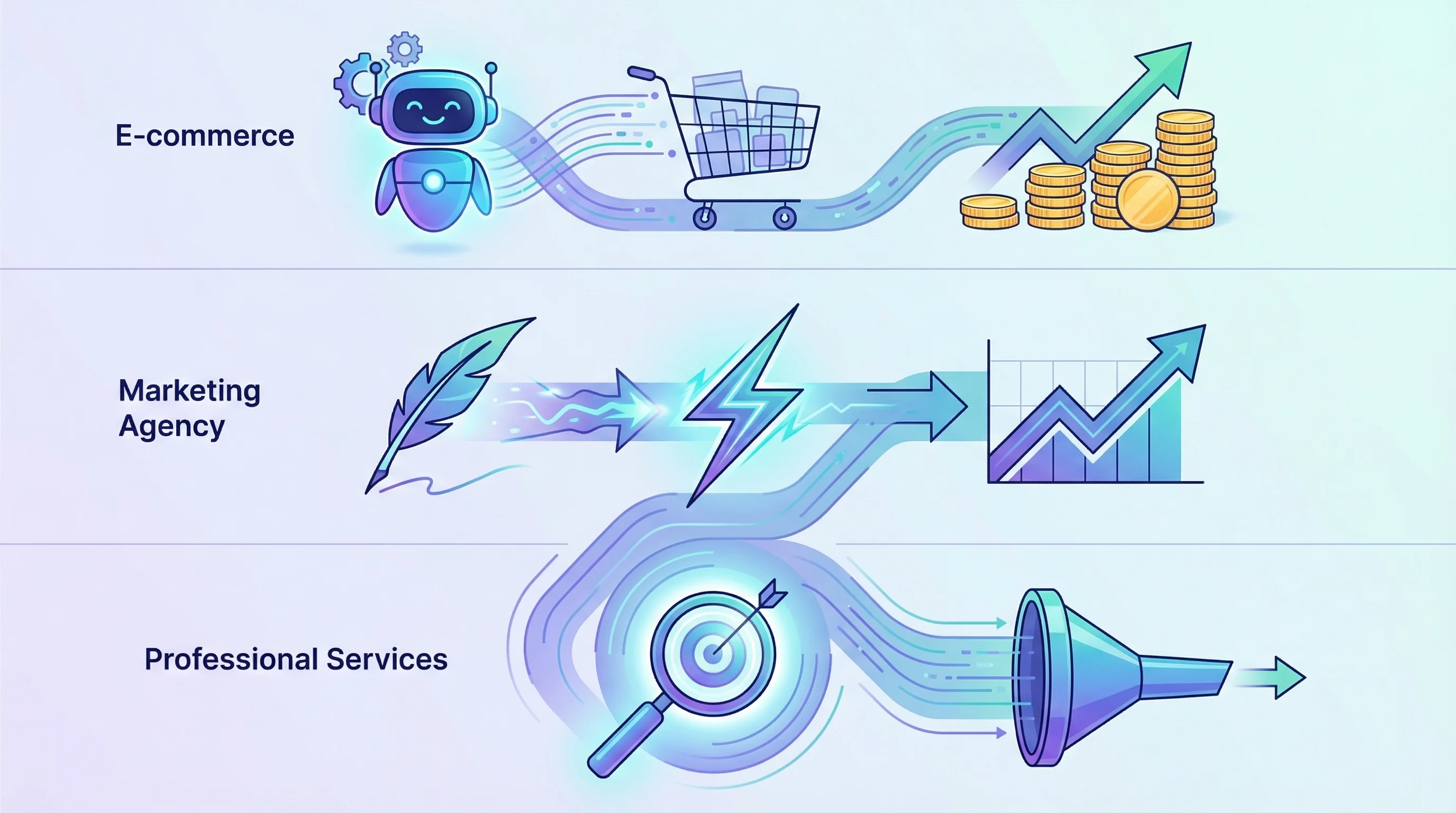
Example 1: E-commerce Store ($500K Annual Revenue)
Problem: Owner spent 12 hours per week responding to customer emails (order status, product questions, returns).
AI Solution: Implemented AI chatbot for FAQs + email auto-responder for common inquiries.
Results:
- Customer inquiry volume handled by AI: 65%
- Time saved per week: 8 hours
- Annual time savings: 416 hours ($20,800 at $50/hour)
- Implementation cost: $4,000 upfront + $150/month
- Payback period: 3 months
Example 2: Marketing Agency ($1.2M Annual Revenue)
Problem: Team spent 20 hours per week writing client social media posts, blog drafts, and email campaigns.
AI Solution: Used ChatGPT + custom workflows for first-draft content generation.
Results:
- Content creation time reduced by: 60%
- Time saved per week: 12 hours
- Annual time savings: 624 hours ($31,200 at $50/hour)
- Implementation cost: $2,500 upfront + $200/month (AI writing tools)
- Payback period: 1.5 months
Example 3: Professional Services Firm ($800K Annual Revenue)
Problem: Sales team wasted 15 hours per week chasing unqualified leads.
AI Solution: Implemented AI lead scoring + automated nurture sequences.
Results:
- Sales cycle shortened by: 30%
- Time saved per week: 9 hours (fewer wasted calls)
- Revenue increase: 15% (reps focused on high-quality leads)
- Implementation cost: $6,000 upfront + $400/month (CRM + automation)
- Payback period: 2 months
The ROI Formula
If AI saves you X hours per week and your time is worth $Y per hour, your annual savings are:
X hours × 52 weeks × $Y = Annual savings
Compare that to your implementation cost (typically $2,000-$10,000 upfront + $200-$800/month ongoing). If the payback period is under 6 months, it's usually a smart investment.
Want a custom ROI calculation for your business? We'll analyze your current workflows and show you exactly what AI would save in time and dollars. Start Your AI Journey →
When AI Makes Sense vs. When It Doesn't
AI isn't the right solution for every business or every task. Here's how to know if it fits your situation.
AI Makes Sense If:
You have repeatable processes. AI works best when tasks follow a pattern. If you send similar follow-up emails to leads every week, AI can automate that. If every customer interaction is completely unique, automation is harder.
You're spending 10+ hours per week on repetitive tasks. The more time you're wasting on manual work, the faster AI pays for itself. If you're only spending 2-3 hours per week on repetitive tasks, the ROI might not justify the setup effort.
You have existing data. AI learns from examples. If you have email history, customer data, website analytics, or CRM records, AI can analyze that and improve your processes. New businesses with no data history should build their systems manually first, then add AI once they have enough information.
You're comfortable with 80% accuracy. AI won't be perfect. It might misclassify 10-20% of leads, write emails that need editing, or suggest suboptimal times for social posts. If you can tolerate occasional errors and adjust, AI works great. If you need 100% accuracy on every task, stick with humans.
AI Doesn't Make Sense If:
Every task requires deep human judgment. If your work involves negotiating complex deals, handling sensitive customer situations, or creating highly strategic content, AI can assist but not replace you. Use it for research and first drafts, not final decisions.
You're in a highly regulated industry with compliance risks. Industries like healthcare, finance, and legal have strict rules about data handling and decision-making. AI can still help, but you need expert implementation to avoid compliance issues. Don't DIY it.
You don't have anyone to manage the system. AI automation requires occasional maintenance. If workflows break or tools update, someone needs to troubleshoot. If you don't have a technically savvy person on your team (or a partner like AI Essentials), you'll get frustrated when things stop working.
Your budget is under $500/month for all technology. If you're operating on a shoestring budget, focus on free or low-cost tools like ChatGPT ($20/month) and Zapier ($20-$50/month). Full AI automation with custom workflows typically costs $200-$1,000/month when you factor in software, implementation, and maintenance.
Alternatives to AI Automation
If AI doesn't fit your situation right now, consider these alternatives:
- Hire a virtual assistant ($15-$30/hour) for tasks that require human judgment but not specialized skills
- Use simple automation tools like Zapier or Make.com ($20-$50/month) for basic workflow automation without AI
- Outsource to specialists (e.g., hire a freelance writer instead of using AI for content, or use a bookkeeping service instead of AI accounting tools)
- Do it manually until you scale — sometimes the best move is to handle tasks yourself until your revenue justifies automation investment
Related: How AI Automation Can Save Your Business 20+ Hours Per Week breaks down exactly which tasks to automate first.
Who This Is For (And Who Should Look Elsewhere)
This approach is ideal for:
- Small business owners spending 10+ hours per week on repetitive tasks like email follow-ups, customer support, scheduling, or content creation
- Businesses with 5-50 employees that can't afford to hire a full team but need consistent output in marketing, sales, or operations
- Service-based businesses (consultants, agencies, coaches) where the owner's time is worth $75-$200/hour and needs to focus on high-value client work instead of admin tasks
You might want to consider alternatives if:
- You're a brand-new business with no customer data, website traffic, or email list—AI needs data to work effectively, so build your foundation manually first
- Your business model changes frequently and processes aren't repeatable yet—automation works best when workflows are stable
- You need 100% accuracy on every task with zero errors—AI gets things right 80-90% of the time, which is great for drafts and recommendations but not for mission-critical decisions without human review
Why AI Essentials specifically?
We specialize in small businesses, not enterprises. Our implementations take 14-30 days (not months), we focus on the tasks that save the most time first (not vanity features), and we train your team to manage the systems yourself—no vendor lock-in. Most agencies charge $10,000+ for custom automation; we deliver similar results for $3,000-$8,000 because we've built repeatable workflows for common small business needs.
Frequently Asked Questions
Artificial intelligence for small business
Artificial intelligence for small businesses typically means automating repetitive tasks like email marketing, customer support, lead qualification, appointment scheduling, and content creation. The goal is to free up the business owner's time so they can focus on strategy, sales, and growth instead of administrative work. Most small businesses start with one or two AI tools (like ChatGPT for writing or a CRM with lead scoring) and expand from there.
AI benefits for small business
The main benefits are time savings (10-20 hours per week on average), cost reduction (30-50% lower operational costs compared to hiring staff for the same tasks), and scalability (you can handle more customers without proportionally increasing headcount). AI also improves consistency—it doesn't forget to follow up with leads or make typos in emails. Finally, AI provides data-driven insights you might miss manually, like which marketing channels drive the best leads or what time of day your emails get opened most.
AI implementation for small business
Start by identifying your most time-consuming repetitive task—email follow-ups, customer support, or content creation. Pick one AI tool that solves that specific problem (e.g., ChatGPT for writing, Intercom for chatbots, or HubSpot for email automation). Spend 1-2 weeks testing it on a small scale before rolling it out fully. Once you prove it works and saves time, expand to the next task. Don't try to automate everything at once—you'll get overwhelmed and nothing will stick.
AI cost for small business
AI tools range from $20/month (ChatGPT, simple automation platforms) to $500-$1,500/month (advanced CRM with AI features, custom workflows). Custom AI implementation by an agency typically costs $2,000-$15,000 upfront depending on complexity, plus optional monthly support ($200-$1,000/month). For most small businesses, expect to spend $200-$800/month on AI tools and automation once everything is set up. The ROI usually justifies the cost within 2-4 months.
AI ROI for small business
ROI depends on how much time AI saves you. If it saves 10 hours per week and your time is worth $75/hour, that's $750/week or $39,000/year in saved labor. If your AI implementation costs $5,000 upfront plus $400/month ($4,800/year), your total first-year cost is $9,800. Your net savings are $29,200 in year one, and $34,200 in year two onward. Most small businesses see payback within 3-6 months.
AI best practices for small business
Always test AI-generated content before publishing or sending it to customers—AI can make mistakes or miss context. Start small with one task instead of trying to automate everything at once. Track results (time saved, revenue generated, costs) so you know if it's working. Don't automate customer-facing tasks without human review until you're confident the AI performs well. Finally, pick tools that integrate with your existing systems (CRM, email platform, calendar) so you're not managing five disconnected tools.
AI common mistakes for small business
The biggest mistake is buying AI tools without a clear plan for how to use them—businesses sign up for ChatGPT or HubSpot, play with it for a week, then forget about it. The second mistake is over-automating—some tasks (like handling angry customers or closing high-value deals) need a human touch. The third mistake is not training your team—if your staff doesn't understand how the AI works, they won't use it. Finally, businesses often underestimate setup time—even "easy" tools require 5-10 hours to configure properly.
AI trends for small business
In 2026, the biggest trend is hyper-personalization—AI can now write unique emails for each recipient based on their specific behavior and interests, not just broad segments. Voice-based AI tools are getting better, so you can dictate ideas and have AI turn them into polished blog posts or reports. AI-powered video creation is becoming accessible to small businesses, letting you produce professional-looking marketing videos without hiring a production team. Finally, AI agents (autonomous bots that complete multi-step tasks without human intervention) are starting to handle complex workflows like lead nurturing or customer onboarding end-to-end.
AI alternatives for small business
If AI doesn't fit your budget or needs, consider hiring a virtual assistant ($15-$30/hour) for tasks that require human judgment, using simple automation tools like Zapier ($20-$50/month) for workflow automation without AI, or outsourcing to freelancers (writers, designers, marketers) for specialized tasks. Another option is to do things manually until you hit a revenue threshold where automation makes financial sense—there's no shame in handling tasks yourself when you're just starting out.
AI step-by-step guide for small business
Step 1: List all the repetitive tasks you do every week (email follow-ups, social media posting, customer support, scheduling, data entry). Step 2: Pick the task that takes the most time—that's your starting point. Step 3: Research AI tools that solve that specific problem (ask peers, Google "[task] automation tool," or consult with an agency like AI Essentials). Step 4: Test one tool for 30 days and measure results—did it save time? Did quality suffer? Step 5: If it works, expand to the next task. If it doesn't, troubleshoot or try a different tool. Repeat this process until you've automated your top 3-5 time-wasters.
Conclusion
Artificial intelligence is software that learns from data and automates tasks that used to require human judgment—things like personalized email marketing, customer support, lead qualification, and content creation. For small businesses, the primary benefit is time savings (10-20 hours per week) and cost reduction (30-50% lower operational costs compared to hiring staff).
The fastest ROI comes from automating your most time-consuming repetitive task first. For most small businesses, that's email follow-ups or customer support. Start there, measure results, then expand.
Ready to see which tasks AI can automate in your business? Book a free 30-minute strategy call and we'll walk through your current workflows and show you exactly where AI can save you time and money.